We compared the top AI voice cloning tools on quality, cloning speed, languages, price, and safety. Here are the 9 best — including the cheapest and the best free option.
The best AI voice cloning software in 2026 is AnyVoice for transparent pricing and built-in compliance, with ElevenLabs the pick for maximum emotional range and Fish Audio the best low-cost engine.
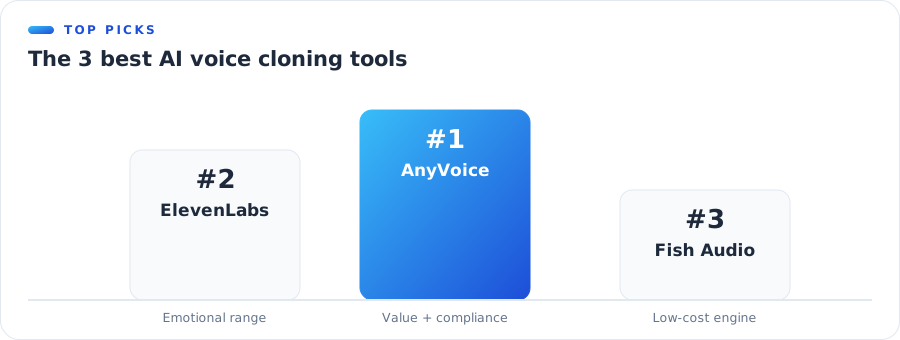 The top 3 AI voice cloning tools
But "best" depends on your job. A YouTuber, an audiobook publisher, and a developer building an app all need different things. So we tested nine tools across the metrics that actually matter and matched each to the person it fits.
The good news for 2026: the quality floor has risen across the board. Even the cheaper tools now sound convincing, which means the real decision has shifted from "which sounds best" to "which fits my budget, languages, and compliance needs."
The 9 Best AI Voice Cloning Software at a Glance
Here's the full field, side by side. Sample length is the minimum audio needed to clone; prices are entry points at the time of writing. Use it to shortlist two or three tools, then read their sections below for the trade-offs.
| Tool | Best for | Clone sample | Languages | Free tier | Watermark | From |
|---|---|---|---|---|---|---|
| AnyVoice | Value + compliance | 15 sec | 80+ | Yes | Default | Free |
| ElevenLabs | Emotional range | 1 min+ | 30+ | Limited | Optional | ≈$5/mo |
| Fish Audio | Low-cost engine | 10 sec | 13 | Yes | — | Usage |
| MiniMax | Multilingual | ~10 sec | 30+ | Limited | — | Usage |
| Murf | Teams / studio | Pro | 20+ | Trial | — | ≈$29/mo |
| Play.ht | Developers / API | Instant | 140+ | Limited | — | ≈$39/mo |
| Resemble AI | Security / watermark | ~10 sec | 100+ | Trial | Yes | Usage |
| Speechify | Reading / consumer | Yes | 60+ | Limited | — | ≈$139/yr |
| HeyGen | Video avatars | 30 sec | 40+ | Limited | — | ≈$29/mo |
Note: Specs and prices change often. Figures above were accurate at the time of writing — always check each provider's current site before buying.
Quick picks
- Best overall — AnyVoice: Transparent credits, 15-second cloning, watermarked by default.
- Best emotional range — ElevenLabs: The benchmark for expressive, dramatic delivery.
- Best value engine — Fish Audio: Top cloning quality at one of the lowest per-character costs.
- Best free option — AnyVoice: A genuinely usable free tier with 5,000 credits to start.
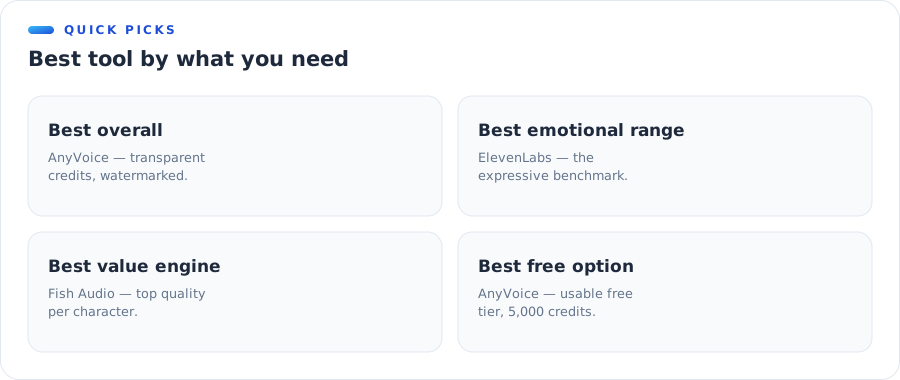 Best tool by what you need
How We Tested
We didn't rank on vibes. Each tool was assessed hands-on where possible and cross-checked against public documentation. Because pricing and features shift monthly, we focused on the durable stuff — quality, cloning approach, and safety posture — rather than promotional numbers that expire.
What we scored
- Voice quality — how natural and recognizable the clone sounds.
- Cloning speed — sample length and time to a usable voice.
- Languages — breadth and cross-lingual quality.
- Price transparency — how easy it is to predict your bill.
- Safety — watermarking and consent features.
Our approach
We weighted quality and value most heavily, because that's what determines whether a tool is worth adopting. Safety features broke ties — in 2026, watermarking is no longer optional for serious use.
We'll be transparent about one thing: AnyVoice publishes this list. We've worked to rank on merit and to name where rivals genuinely lead, but you should still trust your own ears — every tool here has a free trial for exactly that reason.
What to Look for in AI Voice Cloning Software
Before the individual reviews, here are the five things that separate a great tool from a frustrating one. Weigh them against your own use case.
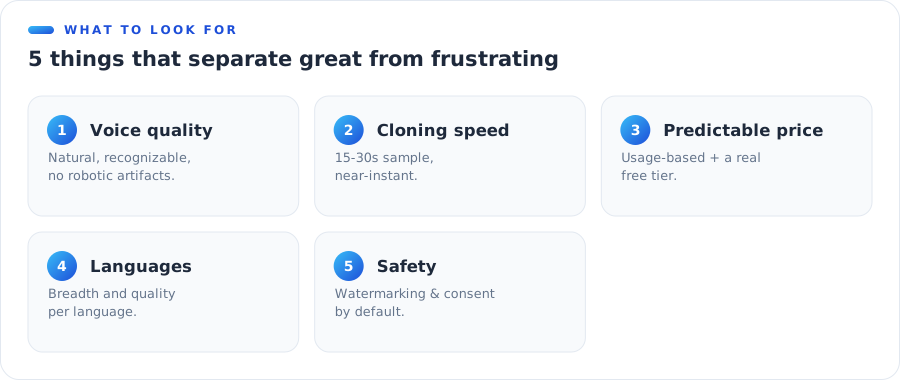 5 things to look for in a cloning tool
1. Voice quality and realism
This is the whole point. Listen for natural pauses, clean consonants, and an absence of the tinny, robotic artifacts older tools produced. The best 2026 engines are hard to tell from a real recording on conversational text.
2. Cloning speed and sample length
Modern tools clone from 15–30 seconds, almost instantly. If a tool still demands minutes of studio audio, make sure the extra fidelity is worth the extra friction for your project.
3. Pricing you can actually predict
Watch out for opaque credit systems where you can't tell what a project will cost. Usage-based, per-character pricing is the fairest model, and a real free tier lets you test before you pay.
4. Language and accent coverage
If you localize content, language count matters — but so does quality per language. A tool claiming 100+ languages isn't useful if your target language sounds off. Test the ones you actually need.
5. Safety: watermarking and consent
In 2026 this is no longer a nice-to-have. Favor tools that watermark output and capture consent by default, so you stay compliant with the EU AI Act without extra steps.
1. AnyVoice — Best for Transparent Pricing & Compliance
Best overall · 15-sec clone · 80+ languages · From: Free
AnyVoice pairs top-tier cloning quality with the two things rivals often neglect: honest, credit-based pricing and compliance built in. It clones from a 15-second sample, generates in 80+ languages, and watermarks every output by default.
Under the hood it runs on a top-ranked cloning engine, so quality is high — but it adds a polished workspace, consent capture, and a free tier generous enough to actually finish a project.
Pros:
- Transparent 1-credit-per-character pricing
- Watermarked output + consent capture by default
- 15-second cloning, 80+ languages
- Genuinely usable free tier
Cons:
- Newer brand than incumbents
- Fewer studio-grade fine-tuning options
Best for: creators and teams who want great quality without surprise bills or compliance homework.
Our verdict: AnyVoice wins the overall spot not by beating ElevenLabs on raw emotion, but by removing the two biggest headaches in this category — unpredictable pricing and compliance you have to manage yourself. For most people, that's the better trade.
2. ElevenLabs — Best for Emotional Range
Emotional range · 1 min+ clone · From: ≈$5/mo
ElevenLabs set the modern benchmark for expressive AI speech, and it's still the leader when you need genuine emotional nuance — dramatic audiobooks, character work, film-grade delivery.
The trade-offs are price at scale and a credit system that can be hard to predict. For raw performance, though, it remains the one to beat.
It's also where many creators start, thanks to a huge voice library and polished tooling. If your work lives or dies on emotional delivery — narration, games, film — ElevenLabs earns its premium.
Pros:
- Best-in-class emotional expressiveness
- Large voice library and mature tooling
- Strong developer ecosystem
Cons:
- Costs climb quickly at volume
- Watermarking isn't the default
- Longer sample for best cloning
Best for: studios and creators who prioritize maximum emotional realism above cost. See our full AnyVoice vs ElevenLabs comparison.
Our verdict: still the performance king, but you pay for it — in dollars and in a credit system that rewards careful budgeting.
3. Fish Audio — Best Low-Cost Engine
Low-cost engine · 10-sec clone · From: Usage
Fish Audio tops independent cloning leaderboards while charging a fraction of premium rivals. It's a superb choice if you're comfortable working closer to the API.
Because it's engine-first rather than app-first, you trade a little polish for a lot of value and flexibility. If you want top-tier cloning quality wrapped in a finished, compliant workspace, AnyVoice is the shortcut.
Pros:
- Excellent cloning quality for the price
- 10-second cloning, 13 languages
- Low per-character cost
Cons:
- More developer-oriented than polished app
- Fewer built-in compliance features
Best for: cost-sensitive users and builders who want raw quality per dollar.
Our verdict: the best price-to-quality ratio in the field — just be ready to bring your own workflow, or let AnyVoice provide it.
4. MiniMax — Best for Multilingual Projects
Multilingual · ~10-sec clone · From: Usage
MiniMax offers fast cloning and strong multilingual output at competitive rates, making it a favorite for teams localizing content across Asian and Western markets.
Backed by a major AI lab, its models are improving quickly. It's a strong all-rounder if your audience spans several languages and you want quality without a premium-brand price tag.
Pros:
- Very short sample requirement
- Strong multilingual performance
- Competitive pricing
Cons:
- Documentation can be sparse in English
- Fewer creator-friendly editing tools
Best for: localization-heavy workflows on a budget.
Our verdict: a fast-rising multilingual pick that punches above its price, especially for Asian-language content.
5. Murf — Best for Teams & Studio Workflows
Teams / studio · Pro cloning · From: ≈$29/mo
Murf leans into the "studio" experience — a collaborative editor, stock voices, and polish aimed at marketing and L&D teams rather than solo tinkerers.
It's popular in corporate settings where several people touch the same project. If your cloning needs sit inside a broader voiceover workflow, Murf's tooling pays off.
Pros:
- Clean, collaborative studio interface
- Good for corporate and training content
- Solid stock voice library
Cons:
- Cloning is more gated than rivals
- Subscription-first pricing
Best for: teams producing training and marketing voiceover at scale.
Our verdict: less a cloning specialist than a polished team studio that happens to clone — ideal if collaboration matters more than cutting-edge fidelity.
6. Play.ht — Best for Developers & API
Developers / API · Instant clone · From: ≈$39/mo
Play.ht offers instant cloning, a very wide language list, and a developer-friendly API, making it a strong pick for products that embed TTS at scale.
One of the earlier movers in ultra-realistic TTS, it's built to sit inside other software. If you're shipping a product rather than making one-off content, that API focus is exactly what you want.
Pros:
- 140+ languages and accents
- Robust API for developers
- Low-latency options
Cons:
- Higher entry price
- Consumer UI less refined than the API
Best for: developers embedding voice in apps and agents.
Our verdict: a developer-first workhorse with an unrivalled language list; the polish lives in the API more than the app.
7. Resemble AI — Best for Security & Watermarking
Security · ~10-sec clone · From: Usage
Resemble AI has leaned hard into responsible AI, with deepfake detection and watermarking as headline features — attractive for enterprises worried about misuse.
It also handles real-time and localization use cases well. If your organization's legal team asks "how do we prove what's synthetic," Resemble is built to answer that question.
Pros:
- Strong watermarking and detection tools
- Enterprise-grade controls
- Wide language support
Cons:
- Pricing skews enterprise
- More setup than consumer tools
Best for: enterprises where security and provenance are non-negotiable.
Our verdict: the safest-feeling option on the list, and priced accordingly — overkill for hobbyists, reassuring for enterprises.
8. Speechify — Best for Reading & Consumers
Reading / consumer · Voice cloning · From: ≈$139/yr
Speechify built its name on text-to-speech reading apps, and its cloning is wrapped in that same friendly, cross-device consumer experience.
With a large consumer user base, it's optimized for listening rather than production. If you mainly want to hear articles, emails, and PDFs in your own voice, it's a comfortable fit.
Pros:
- Very approachable for non-technical users
- Great apps across phone and desktop
- Good for reading documents aloud
Cons:
- Less focused on pro voice production
- Annual pricing model
Best for: everyday listeners who want their own voice for reading.
9. HeyGen — Best for Video Avatars
Video avatars · 30-sec clone · From: ≈$29/mo
HeyGen pairs voice cloning with AI video avatars, so it's the natural pick when your output is a talking-head video, not just audio.
It's a leader in AI video, and the voice is one piece of a larger avatar workflow. Choose it when the deliverable is a person on screen speaking — in one language or twenty.
Pros:
- Voice + avatar in one workflow
- Great for marketing and training videos
- Easy multilingual video dubbing
Cons:
- Overkill if you only need audio
- Video credits add up
Best for: teams making avatar-led or dubbed video content.
What's New in AI Voice Cloning in 2026
The field moved fast this year. Three shifts are worth factoring into any buying decision.
Watermarking goes mandatory
With the EU AI Act's transparency rules landing in August 2026, watermarking flips from a bonus feature to a baseline expectation. Tools that mark output by default quietly remove a whole category of risk.
Real-time cloning arrives
Near-instant, conversational cloning is maturing, opening up live use cases like voice agents and on-the-fly dubbing. For now, pre-rendered content still gets the very best quality.
Cheaper — and better
Per-character costs kept falling while quality rose. The result is that "good enough" is now genuinely good, and value has become the main battleground between tools.
How to Choose the Right AI Voice Cloning Tool
Skip the feature-list overwhelm and start from who you are.
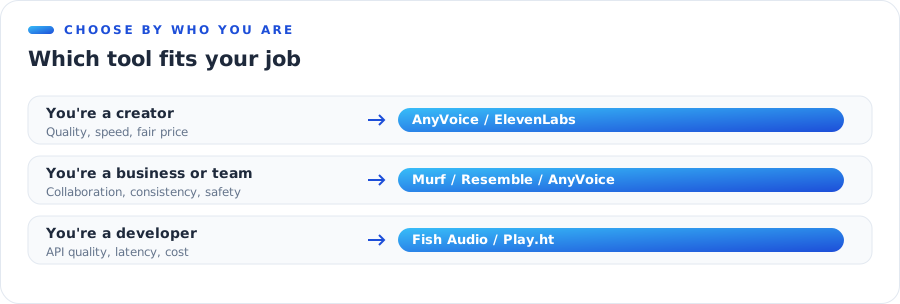 Which tool fits your job
If you're a creator
You want quality, speed, and a price that doesn't punish success. Start with AnyVoice for value and compliance, or ElevenLabs if emotional performance is everything. Both have free entry points, so try your own voice on each before deciding.
If you're a business or team
Prioritize collaboration, consistency, and safety. Murf suits studio workflows; Resemble AI wins on security; AnyVoice balances both with watermarking by default. Whichever you choose, confirm it captures consent — it protects your team as much as the voice owner.
If you're a developer
You care about API quality, latency, and cost. Fish Audio and Play.ht are the natural starting points, with AnyVoice worth a look if you'd rather build on a hosted layer that already handles consent and watermarking for you.
The one rule that saves money
Whatever you pick, favor tools with transparent, usage-based pricing and a free tier. It lets you test real quality on your own voice before committing a cent. For a full engine cost breakdown, see our 2026 cost report.
The bottom line
If you want one answer: try AnyVoice first. It gives you top-tier quality, transparent pricing, and compliance by default, at zero cost to start. If your work demands the absolute peak of emotional performance, keep ElevenLabs on the shortlist. Everything else on this list is excellent for a specific niche — match the tool to your job, not to the hype.
Try the #1 pick free — Clone your voice in 15 seconds · 80+ languages · watermarked · transparent credits. Start free →
Frequently Asked Questions
What is the best AI voice cloning software in 2026?
AnyVoice is our top overall pick for its transparent pricing, 15-second cloning, and built-in watermarking. ElevenLabs leads on emotional range, and Fish Audio is the best low-cost engine.
What is the best free AI voice cloning tool?
AnyVoice offers the most usable free tier, with 5,000 starter credits and watermarked output. Most rivals restrict cloning or generation on their free plans.
Which AI voice cloning software is the cheapest?
Usage-based engines like Fish Audio and MiniMax offer the lowest per-character cost. AnyVoice matches that price range with transparent credits and a free tier.
What is the best ElevenLabs alternative?
AnyVoice is the closest all-round alternative — similar quality and languages, with clearer pricing and watermarking by default. Fish Audio is the best value alternative.
Do these tools watermark AI-generated audio?
Some do by default (AnyVoice, Resemble AI); others make it optional. From August 2026 the EU AI Act expects machine-readable marking, so default watermarking is safer.
How much audio do I need to clone my voice?
Most tools here clone from 10–30 seconds. Only a few still ask for a minute or more to reach their highest fidelity.
Which AI voice cloning tool is best for YouTube creators?
AnyVoice and ElevenLabs are the top picks for creators — AnyVoice for value and easy compliance, ElevenLabs when you need the most expressive delivery.
Are AI voice cloning tools safe and legal to use?
Yes, when you clone your own voice or have consent. Tools that watermark by default and capture consent make it easier to stay compliant with 2026 rules.
Disclosure: AnyVoice publishes this comparison and appears in it. We've aimed to rank honestly on tested criteria; verify current specs and pricing on each provider's site before purchasing.